Back to Support Center
Manufacturing & Production
Bill of materials, work orders, and material requirements planning. Not yet covered in the printed User Manual.
Topics in this section
- Bill of Materials
- Work Orders
- Material Requirements Planning
- Production Costing
3 guides • 0 video tutorials available for this topic. Browse the Support Center or use search above.
Guides
Creating a Bill of Materials
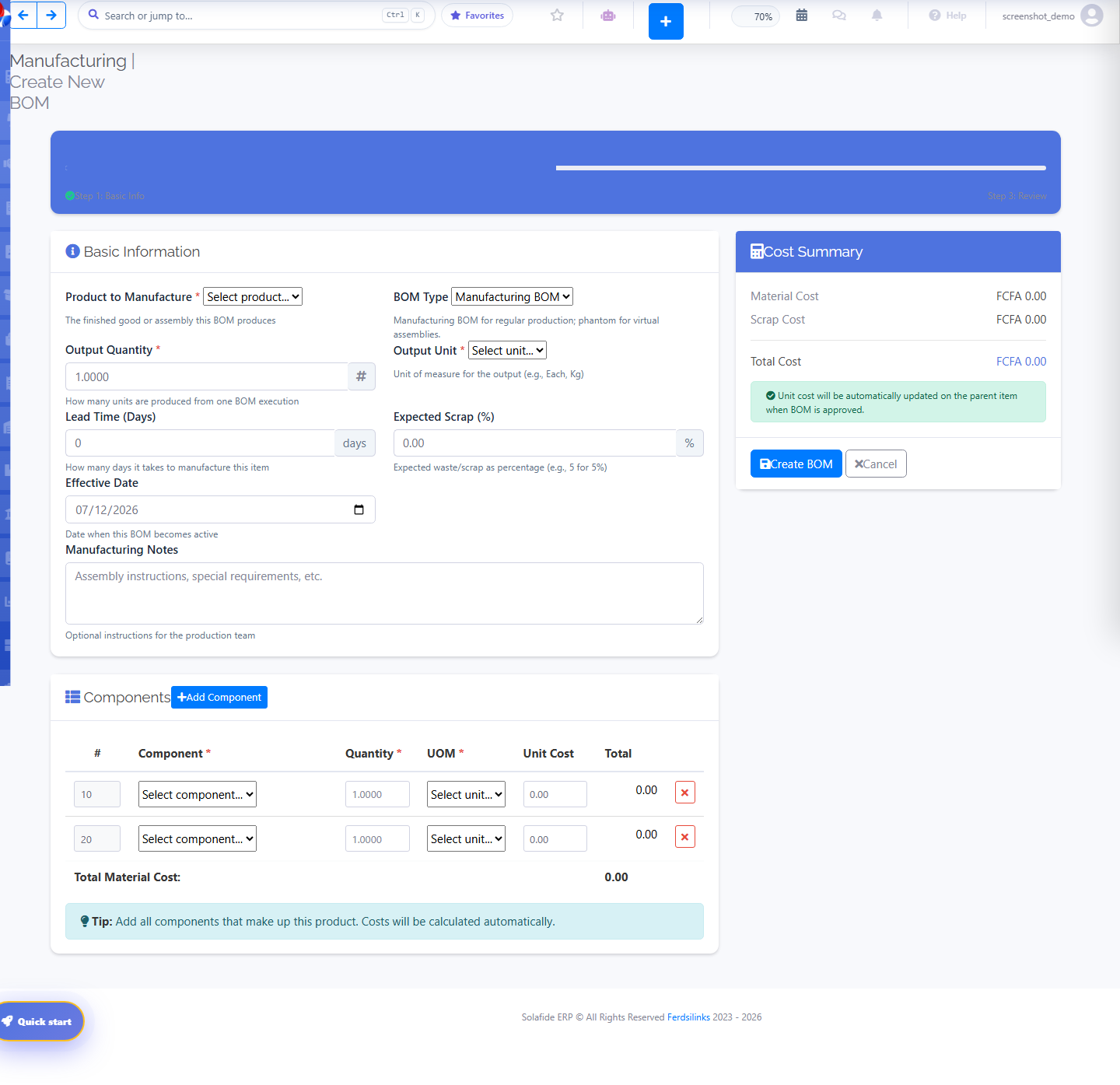
- Go to Manufacturing › Bill of Materials and click Create BOM.
- Select the Product to Manufacture and the BOM Type (Manufacturing BOM for regular production, Phantom for virtual assemblies).
- Enter the Output Quantity and Output Unit.
- Set Lead Time (Days) and Expected Scrap (%).
- Set the Effective Date and, optionally, Manufacturing Notes for the production team.
- Under Components, click Add Component for each raw material or part: pick the Component, Quantity, and UOM — Unit Cost and Total fill in automatically.
- Check the Cost Summary panel (Material Cost, Scrap Cost, Total Cost), then click Create BOM.
Creating a Work Order
Manufacturing › Production Orders
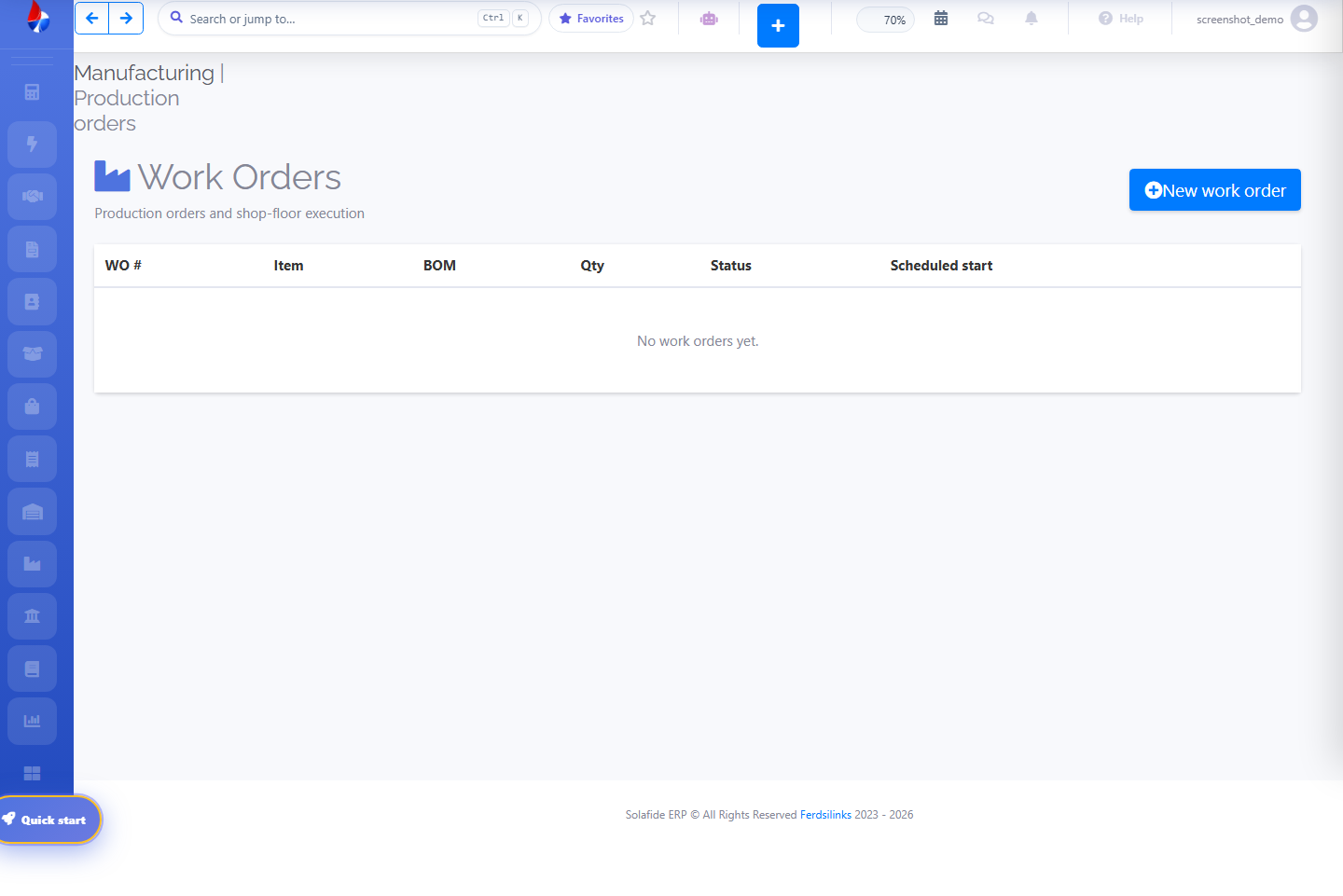
- Go to Manufacturing › Work Orders and click New work order.
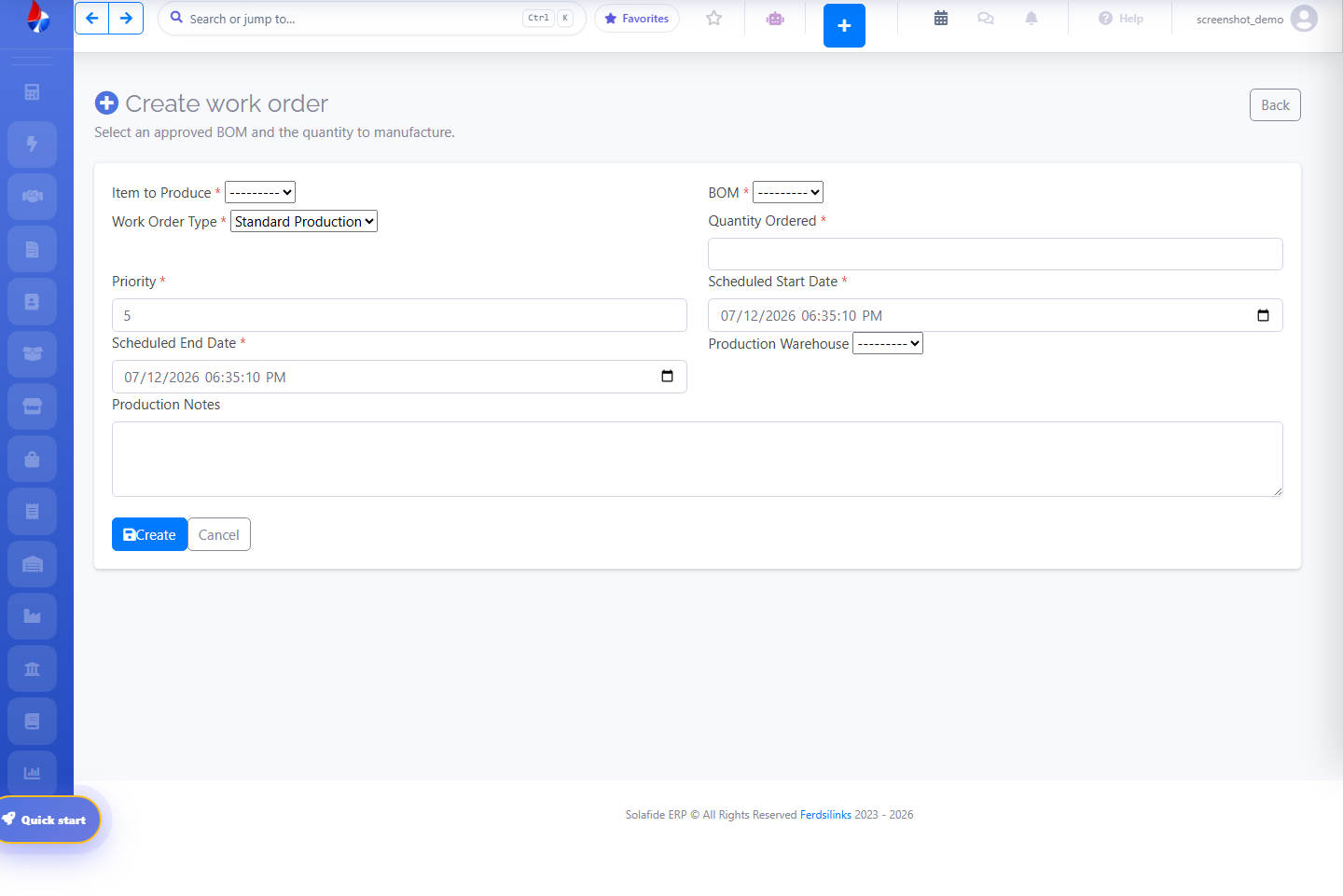
- Select the Item to Produce and an approved BOM for it.
- Choose the Work Order Type (e.g. Standard Production) and set a Priority.
- Enter the Quantity Ordered.
- Set the Scheduled Start Date and Scheduled End Date.
- Choose a Production Warehouse and add Production Notes if needed.
- Click Create. The order then appears in the Work Orders list with its status and scheduled start.
Manufacturing Module Overview
Manufacturing hub
The manufacturing add-on covers the production cycle from product design to costed output, with dedicated tabs for BOMs, ECOs, Work Orders, and MRP.
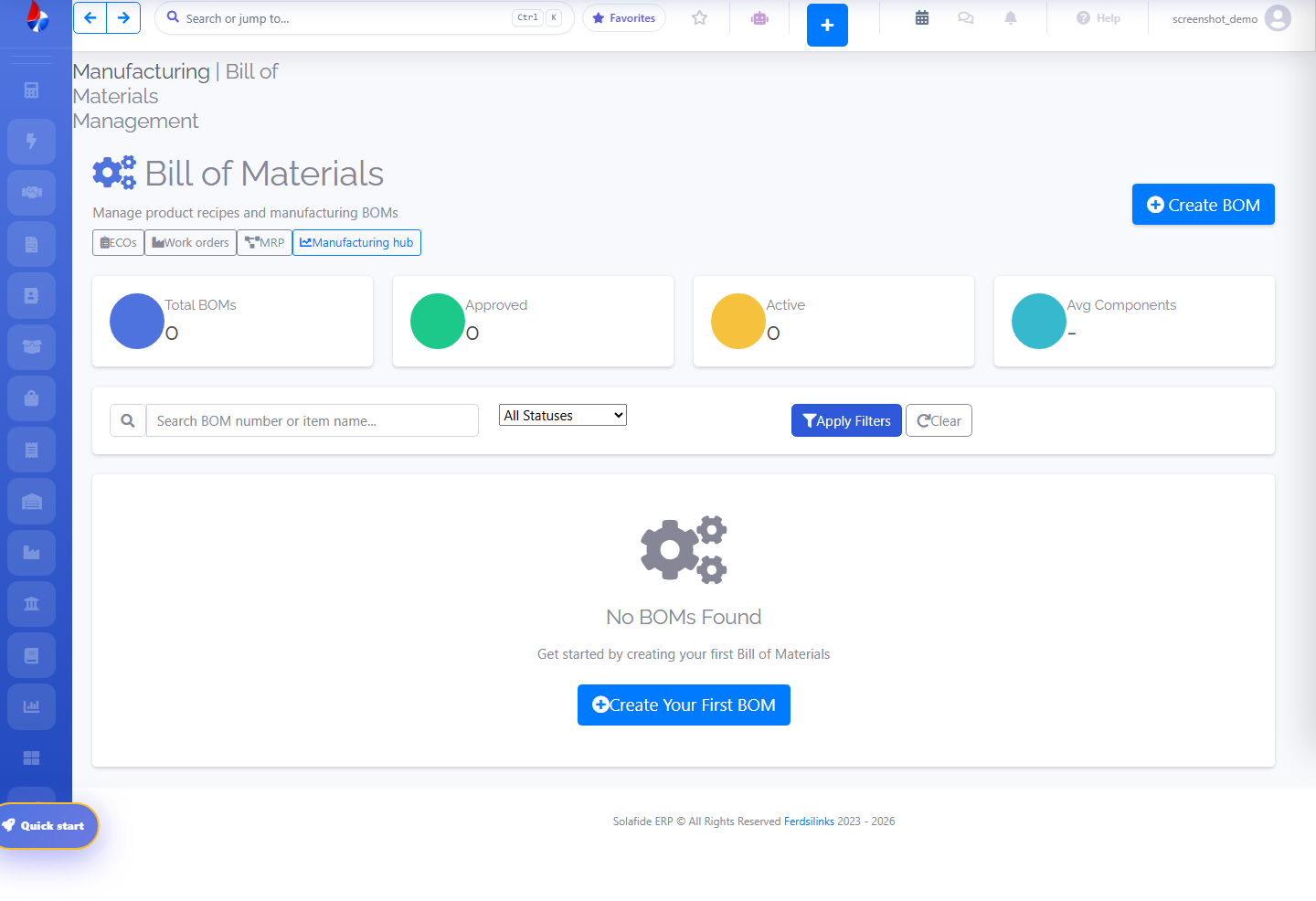
- Bill of Materials (BOM) — define the components and quantities that make up a finished product, with revision history via ECOs.
- Work Orders — plan and track a production run from release to completion.
- MRP & Costing — calculate material requirements against demand and roll up production costs.